

Microsoft is turning Windows laptops into AI PCs with Copilot.
I've been using the new feature that reads any file for a few days.
It's the most powerful update deployed so far.
3 quick examples to understand why:
I've been using the new feature that reads any file for a few days.
It's the most powerful update deployed so far.
3 quick examples to understand why:
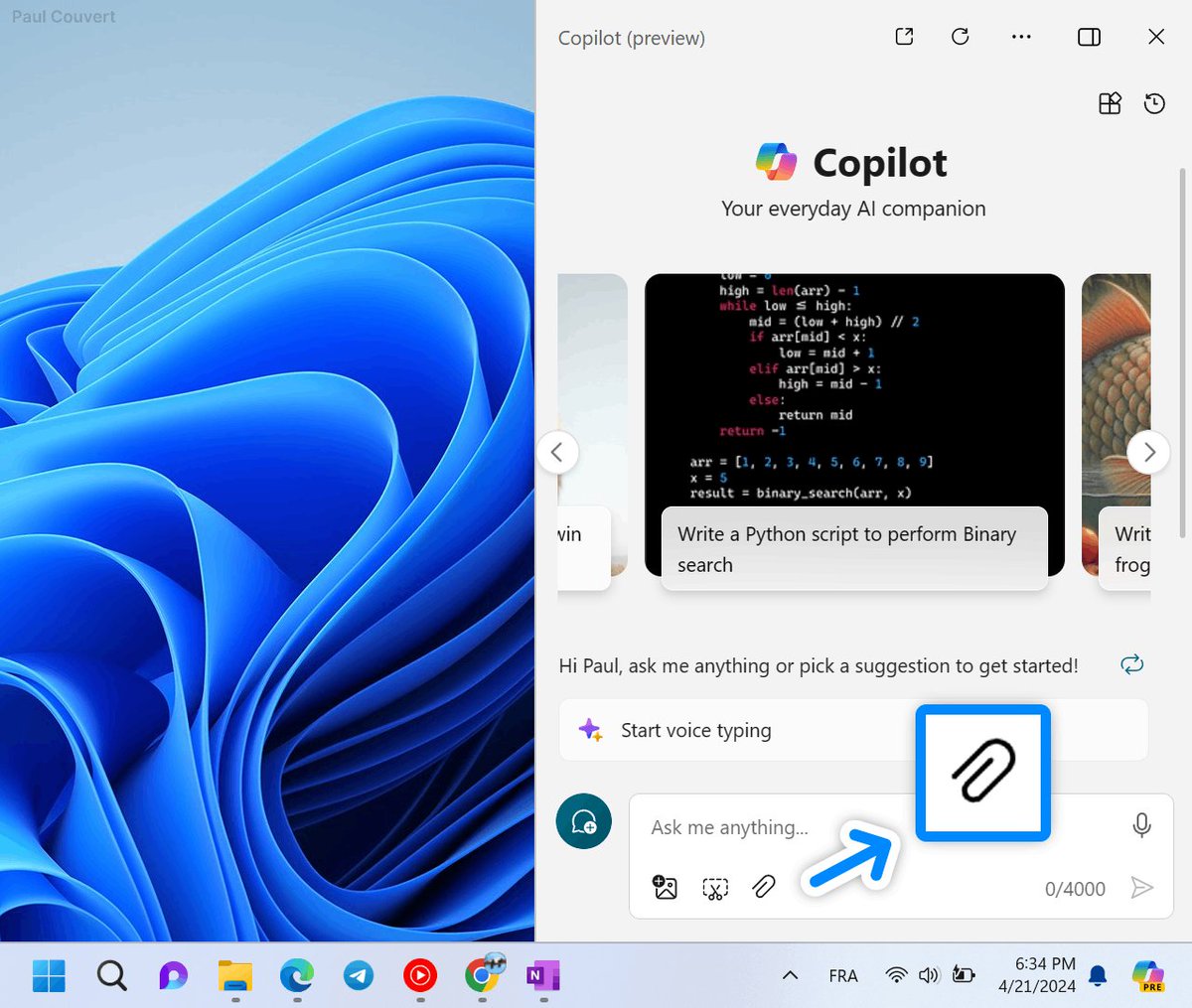
Analyze uploaded documents
Copilot in Windows can now process and understand various file types.
It allows it to:
- Extract relevant information
- Summarize key points of the document
- Understand the structure and content
Copilot in Windows can now process and understand various file types.
It allows it to:
- Extract relevant information
- Summarize key points of the document
- Understand the structure and content

Answer questions about the file
You can ask Copilot questions related to the content of the uploaded file.
For example:
- "What are the main conclusions of this report?"
- "Can you summarize the key action items from this meeting notes file?"
- "What's the max turnover in this spreadsheet?"
You can ask Copilot questions related to the content of the uploaded file.
For example:
- "What are the main conclusions of this report?"
- "Can you summarize the key action items from this meeting notes file?"
- "What's the max turnover in this spreadsheet?"

Generate text based on the file
Copilot can use the information from the file to aid in text generation tasks.
Examples:
- "Write an email summarizing the findings of this report."
- "Create a presentation outline based on this document."
- "Draft a response to the questions raised in this email, addressing the points in the attached document."
Copilot can use the information from the file to aid in text generation tasks.
Examples:
- "Write an email summarizing the findings of this report."
- "Create a presentation outline based on this document."
- "Draft a response to the questions raised in this email, addressing the points in the attached document."

Having this kind of feature natively available at any time is really powerful.
It's completely free and being rolled out gradually.
And if you're on macOS or don't have access yet?
It's completely free and being rolled out gradually.
And if you're on macOS or don't have access yet?
You can access the web version on the Copilot website (or via Copilot Edge).
The feature is also being rolled out here.
Less convenient than Windows integration, but has the same capabilities.
The feature is also being rolled out here.
Less convenient than Windows integration, but has the same capabilities.

Btw, I send an email per week with a tutorial for leveraging AI and Copilot.
You can receive it by subscribing right here if you are interested:
paulcouvert.com
You can receive it by subscribing right here if you are interested:
paulcouvert.com

جاري تحميل الاقتراحات...