

This prompting technique is insanely useful.
It basically acts like a LEVER that you can crank up and down.
I discovered it a week ago and use it all the time now.
[Short thread]
It basically acts like a LEVER that you can crank up and down.
I discovered it a week ago and use it all the time now.
[Short thread]

Whenever ChatGPT goes 'too far' or 'not far enough' with something, for example:
- tone too formal
- summarization too brief
- brainstorming not creative enough
Just do this:
1. Ask it to rate the output on a scale of 1-10 (define 1 and 10)
2. Then adjust to your desired number
- tone too formal
- summarization too brief
- brainstorming not creative enough
Just do this:
1. Ask it to rate the output on a scale of 1-10 (define 1 and 10)
2. Then adjust to your desired number
Here's the template to copy (prompt in ALT):
![On a scale of 1-10.
If 1 is a ...
And 10 is a ...
How would you rate this []?](https://pbs.twimg.com/media/GBULztRakAAUqK5.png)
Example 1: Adjusting writing style
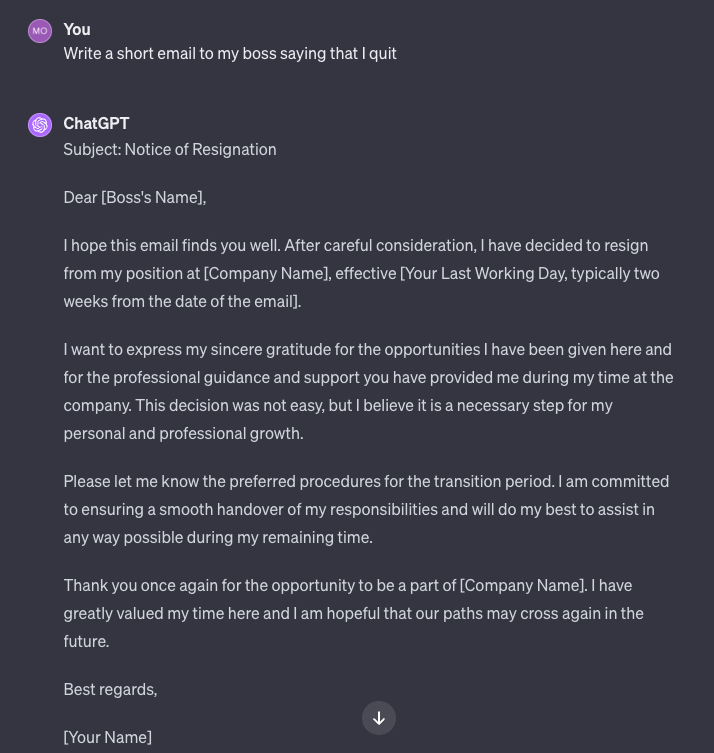
This email I asked ChatGPT to write is a little too formal for me...
This email I asked ChatGPT to write is a little too formal for me...
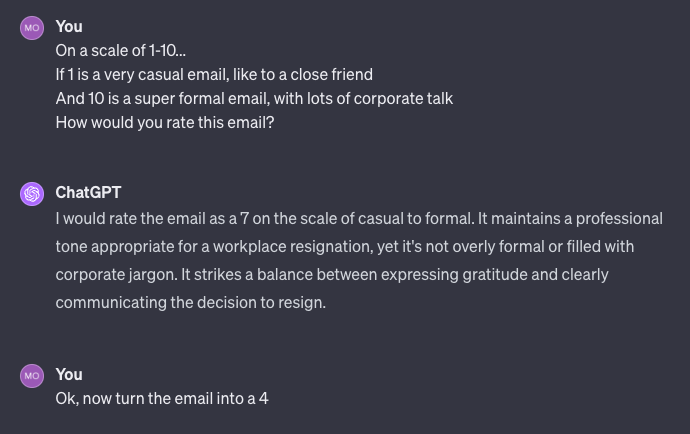
Now I use my lever prompt...
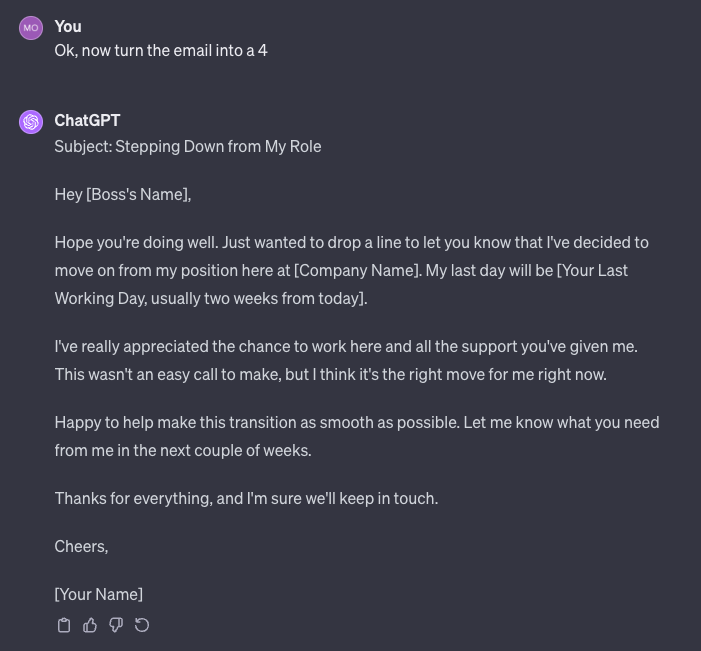
And the email becomes the perfect amount of 'casual'.
And the email becomes the perfect amount of 'casual'.
Example 2: Adjusting creativity in a brainstorm
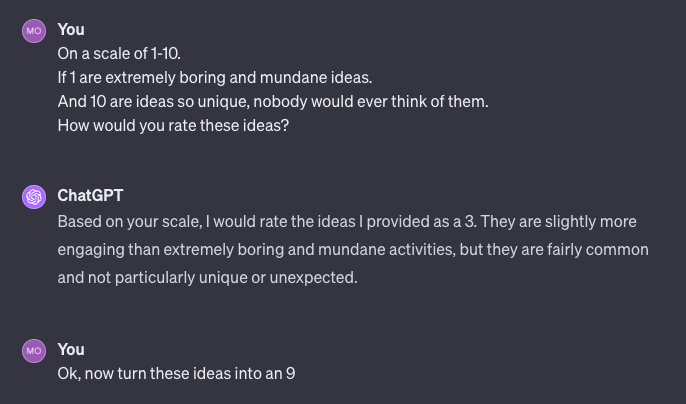
ChatGPT first gives me some pretty basic ideas, nothing special...
ChatGPT first gives me some pretty basic ideas, nothing special...

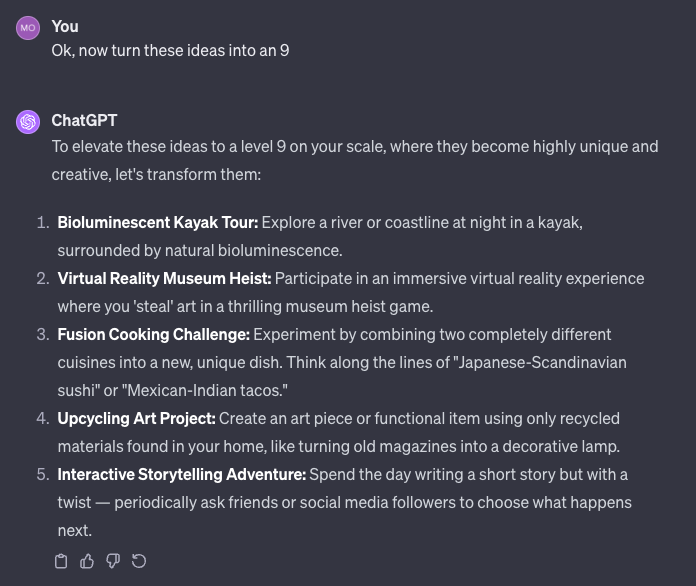
Now I use my lever prompt again and crank up the dial on creativity...
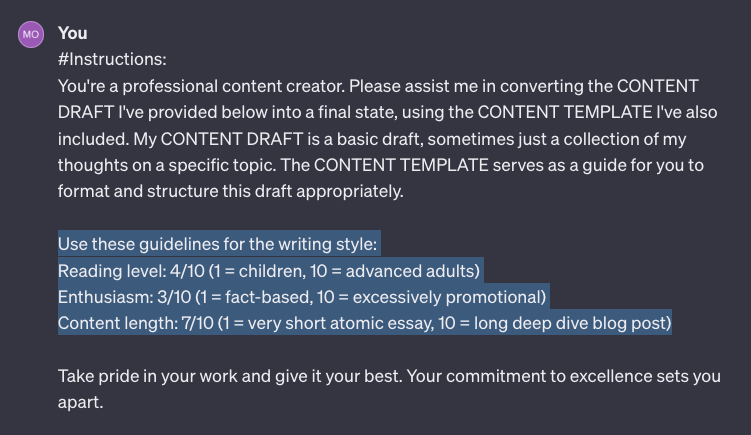
In case you're wondering, why not just do this in the initial prompt?
I've done that too (see image), but the output usually still doesn't quite hit the mark.
Letting ChatGPT quantify its own output, then adjusting it works much much better.
I've done that too (see image), but the output usually still doesn't quite hit the mark.
Letting ChatGPT quantify its own output, then adjusting it works much much better.
I'll be diving deeper into this in my newsletter tomorrow.
If you're looking for:
◆ tips
◆ hacks
◆ strategies
...to improve your AI prompts.
Join 20,000+ subscribers here:
thepromptwarrior.com
If you're looking for:
◆ tips
◆ hacks
◆ strategies
...to improve your AI prompts.
Join 20,000+ subscribers here:
thepromptwarrior.com

Thanks for reading!
I hope you've found this thread helpful.
If you did, I'd really appreciate if you would:
1. Follow me @moritzkremb for more.
2. Like/Retweet the tweet below to share it with others:
I hope you've found this thread helpful.
If you did, I'd really appreciate if you would:
1. Follow me @moritzkremb for more.
2. Like/Retweet the tweet below to share it with others:
جاري تحميل الاقتراحات...